Ask a coding agent for a landing page for a shoe repair shop and you get something tidy: a cream background, a large serif headline, a warm accent, a picture on the right. Ask for an app that takes meeting notes, then an invoicing tool for agencies, and the pages come back looking much the same. We saw exactly this when we gave an agent those three briefs without any design guidance: cream, a large serif headline and a card on the right, three times.
None of those pages is broken. They are just the average, and visitors have seen the average many times before. This article shows how to steer an agent away from it. The steps work with any agent and any framework.
Why the pages look alike
An agent writes the most likely answer. For a landing page, the most likely answer is a blend of every landing page it learned from. Adding an adjective like bold, unique or premium rarely helps, because an adjective is a mood, not a decision. The agent still has to decide the colors, the type, the first screen and the structure, and it fills each gap with the usual answer. Often you get the same page with a darker background.
What helps is giving the agent decisions to make, in order, before it writes any code.
1. Start with the job and the action
Write one sentence about what a visitor must understand or do. Then name the control that does it. That control belongs on the first screen, working, not behind a Get started link.
- Shoe repair by post: request a free padded postage bag.
- A command-line tool: the install command, with a copy button.
- A bakery: pick a collection day and order.
- A therapist: the next free appointment slots.
This one step changes the first screen more than any color choice. A page built around a postage-bag form cannot easily become a generic hero with three cards.
2. Name the rut, and its opposite
Describe the page your category always ships: its colors, type, first screen and pictures. Then describe its predictable opposite. Rule out both.
- Craft shops and bakeries: cream, a serif headline, terracotta or rust, a sepia photo, a centered Book now. The opposite is stark black and white with huge monospace type.
- Developer tools: near-black, a glowing gradient, a terminal window in the middle. The opposite is dressing the tool up as an old paper object.
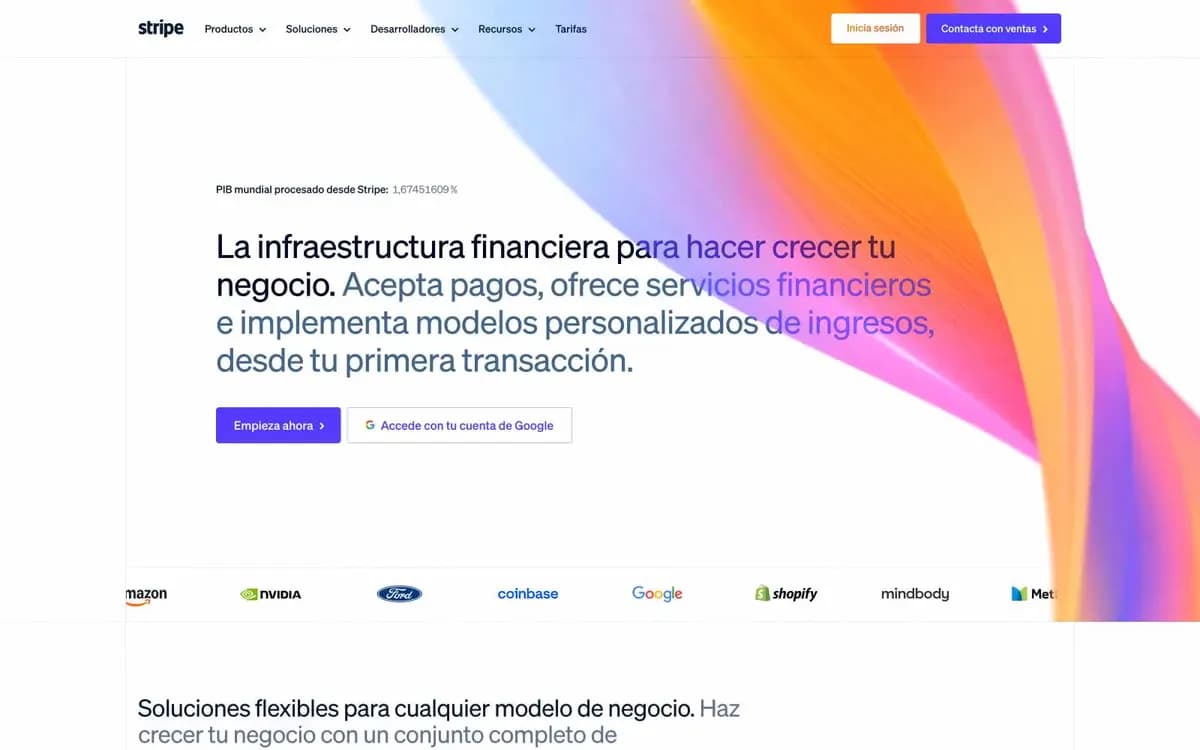
- Software products: white, a purple-to-blue gradient, three cards with icons in rounded squares.
A simple test: if someone could guess your page's look from the category alone, or from the category plus what you avoided, it is still in the rut.
3. List what only this product has
Write down eight to twelve things that belong to this subject and no other: objects, processes, units, rituals, documents, limits. Fast and easy do not count, since every product claims them.
For the shoe repair shop: soles and heels, the way a sole wears unevenly, claim tickets, the postage bag, glue and stitching, a price for each part of the shoe, the layers you see when a shoe is cut in half. Every one of these could become a page. None of them is cream with a serif headline.
4. Write several ideas, then choose by the job
Turn that list into a handful of ideas the audience would recognize as theirs. Look widely: a printed object, a place, signage, a craft, a game, an interface they admire, a type of diagram. Give each idea one line covering its main colors, where its type comes from, and what it puts on the first screen.
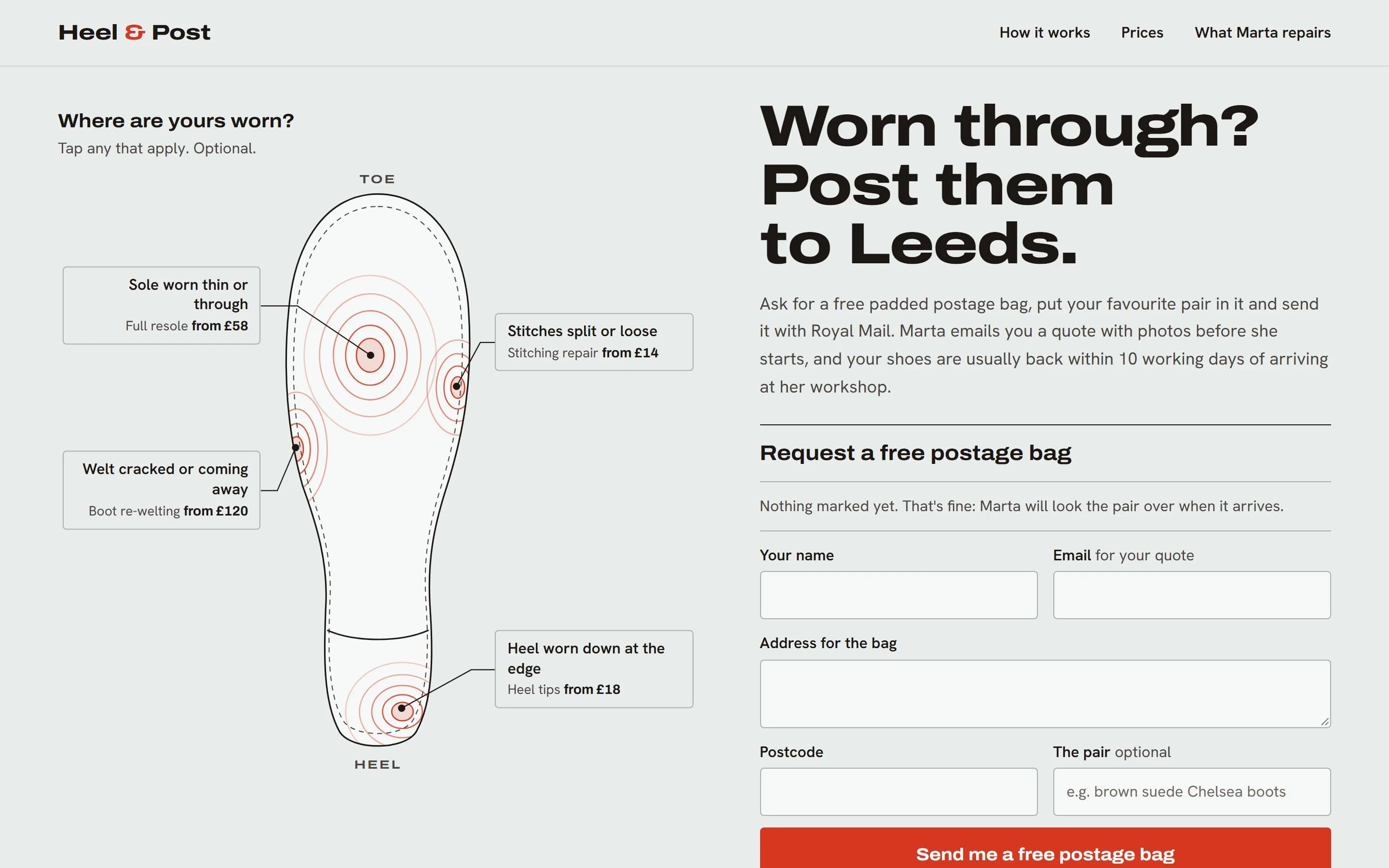
For the repair shop, three of the ideas were a cobbler's claim ticket, a construction cross-section drawing, and a map of where a sole wears. The wear map won because it does the job: the worn places on a sole are the repairs, the prices and the order form at once. An idea that only decorates the page loses to one that helps the visitor act.
Be wary of your first idea. It is usually the one every other attempt would also land on. If the second or third is just as strong, it is more likely to be yours alone.
5. Write the plan before the code
Ask the agent to save a short plan in the project before it writes any code. This is the real plan behind the repair shop page:
# Page plan: index

Job: Understand how the post-in repair works and
order a free padded postage bag

Ideas weighed:
  1. Cobbler's claim ticket
  2. Construction cross-section drawing
  3. Sole wear map (built)

Thesis: The page is a wear chart of a sole: the
places your pair has worn are the repairs, the
prices and the bag request at once. Refuses the
cream-and-rust 'artisan cobbler' page with a sepia
hero and a centred 'Book now'.

Type and color: Archivo wide + Hanken Grotesk.
Tried against a serif, which pulled back to the
artisan rut. Ground cool chart-grey #E8ECEB, ink
leather-black #1C1714, one signal red #D7361F for
wear and action.

Signature: Clicking a worn zone presses the sole:
rings ripple outward and the form's What's-wrong
list updates. Reduced motion: no ripple.
A plan like this can be checked. It names the rut it refuses. It shows that the typeface was chosen by trying it against another one on the page, not out of habit. It gives the one color with a strong job a single purpose. And because the plan lives in the project, the next change can read it and keep the idea instead of drifting back to the average.
6. Carry the idea through every section
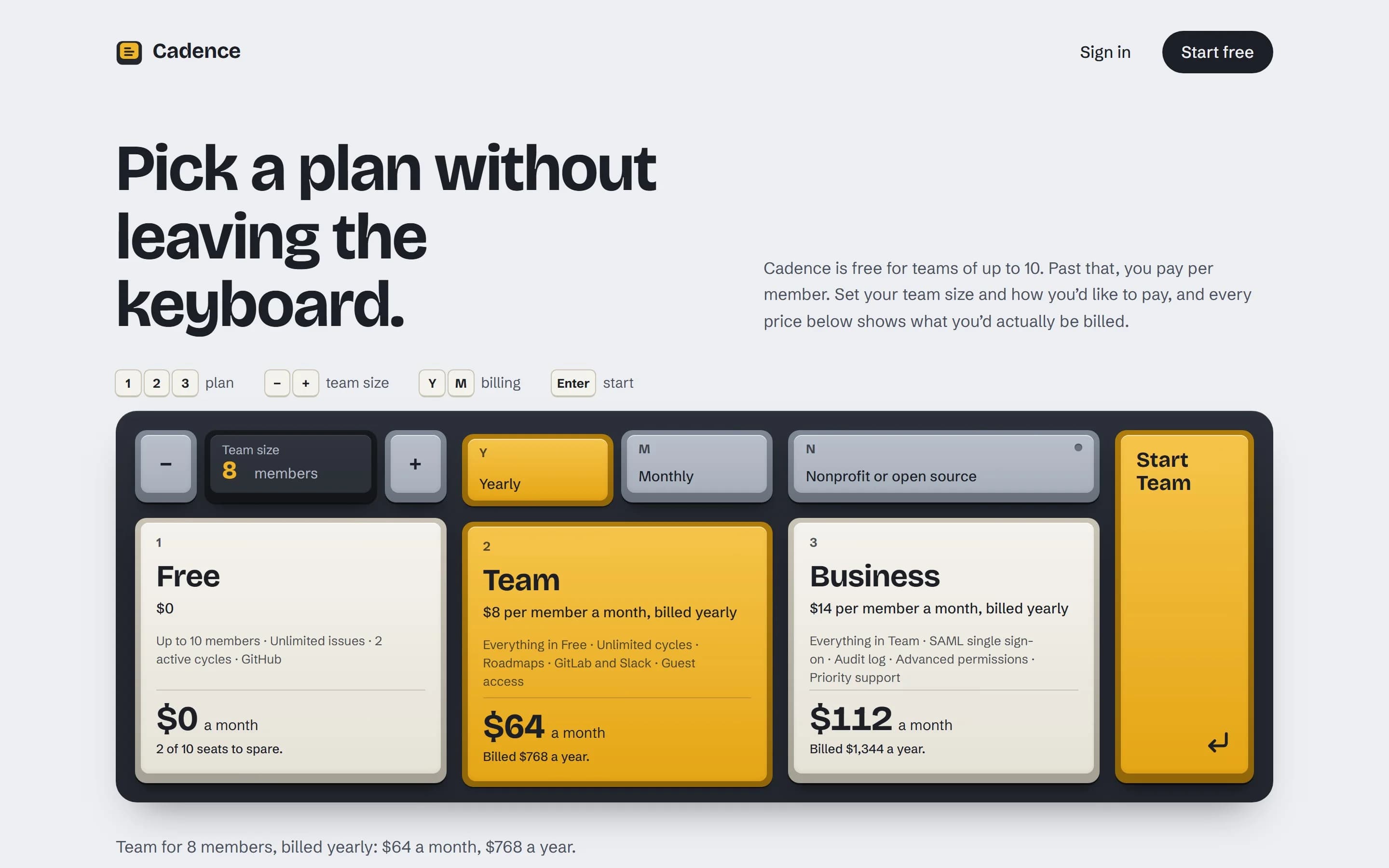
The most common failure comes after a good first screen: the rest of the page falls back to ordinary steps, a grid of cards and a FAQ, just in the new colors. Scroll the whole page quickly. If a section would look the same on any other product, bring the idea into it. On the repair page, for example, prices can sit on the parts of the sole they belong to rather than in a separate table.
Missing content is not a reason to drop a section. Let the agent write example content at full quality, such as sample orders or sample data, and label it as an example. What it must never invent are facts: customer counts, ratings, testimonials, press quotes or prices you did not give it.
7. Check it in a browser at three widths
Reading the code is not enough; spacing and alignment problems only show up when the page is drawn. Look at it 1440, 768 and 390 pixels wide, and check:
- The main action is on the first screen and actually works.
- Content lines up to one container width with shared edges, and the gaps come from one spacing scale.
- Something on the page could only belong to this product.
- There are no invented claims, placeholders or broken text.
- Text has a contrast ratio of at least 4.5:1, every control shows visible focus, and tap targets on phones are at least 44 by 44 pixels.
- Every animation has a calmer version for people who turn motion down.
Fix what fails, check again, and stop after two rounds. Past that point, agents tend to loop on small changes. Note whatever is left and decide it yourself.
A brief you can paste
If you work without any design tooling, this brief gets you most of the way. Fill in the first two lines:
Build a landing page for <product>,
for <audience>.
The visitor's job: <one sentence>.
The action: <the control that does it>.

Before writing code:
1. Describe the page this category usually
   ships, and its predictable opposite.
   Avoid both.
2. List 8-12 things only this product has
   (objects, processes, documents, units).
   "Fast" and "easy" don't count.
3. Write five ideas from the audience's own
   world, each with its colors, where its
   type comes from, and what it puts on the
   first screen.
4. Choose the one that best helps the
   visitor do the job, and save a plan: the
   idea, what it refuses, type and color,
   the first screen and one memorable detail.

Then build the whole page in that idea, with
the action working on the first screen.
Don't invent numbers, logos, ratings or
quotes; write labelled example content where
needed. Check it at 1440, 768 and 390 pixels
wide and fix what you find, at most twice.
Or let the skill handle it
GradientDeck Skill builds these steps into your agent, so you can keep asking for pages the way you already do. It works with Claude Code, Codex, Cursor and other agents that read skills. It is free, MIT licensed and needs no account. In a project that already has a look, it follows that look instead, which is the subject of the next article.
npx gradientdeck install